Analysis
One NAS OS, Two Architectures: What Changes Between x86 and ARM
Running one NAS operating system on both x86 and ARM hardware: what actually differs between the two platforms, and where the tradeoffs land for a home build.
 Marcus Yuen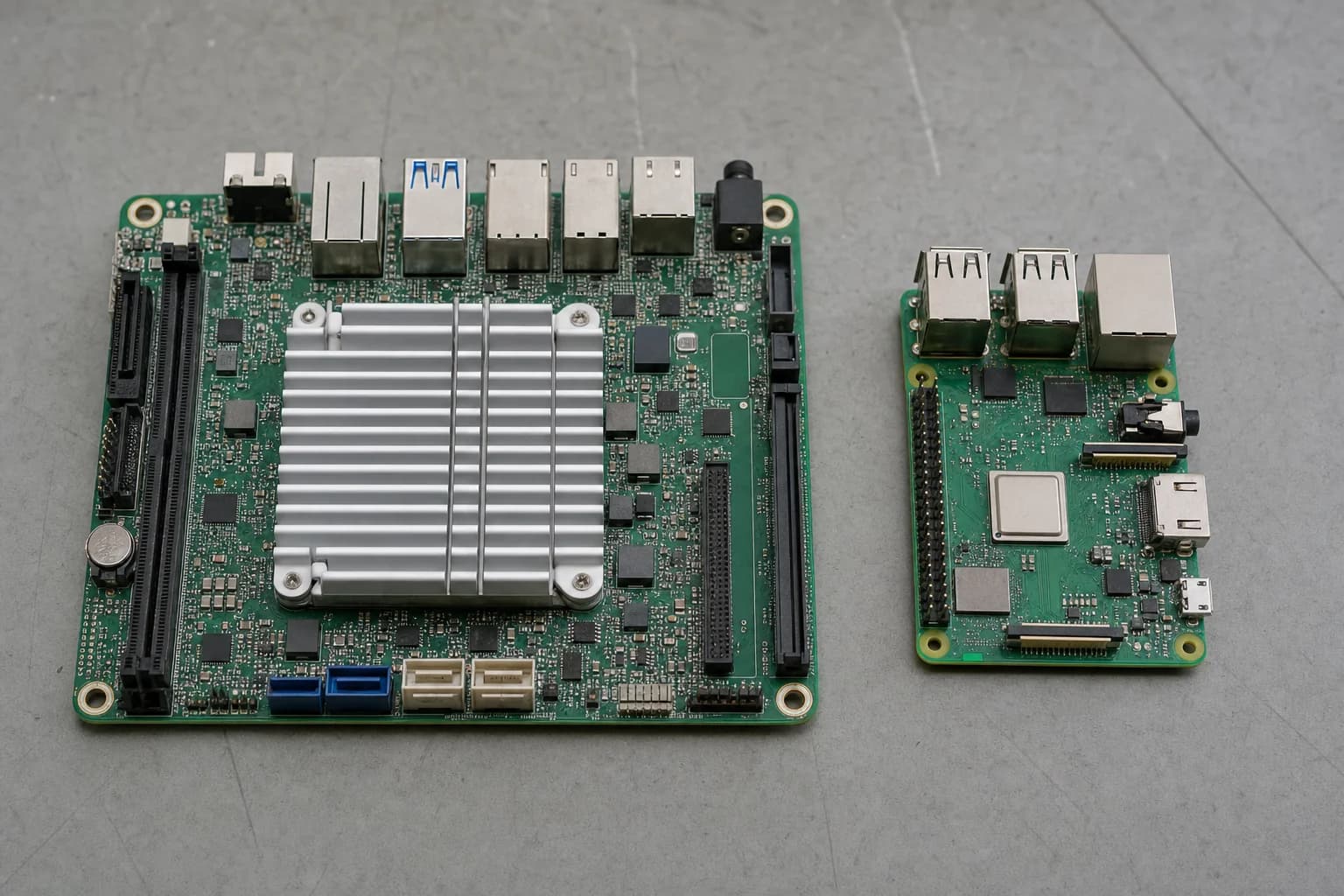
There is a specific kind of hardware that accumulates in a house: the desktop replaced two years ago, the mini PC bought for a project that ended, the single-board computer from a Kickstarter. Most of it still works. Almost none of it is doing anything.
The obstacle to turning that pile into storage is rarely the hardware. It is that storage operating systems tend to assume one architecture. Pick the wrong box and the software you wanted simply does not install.
FygoOS is built to run across both x86 and ARM, which makes it worth asking a practical question: what actually differs between the two, and does the same system meaningfully do the same job on each?
What "both platforms" covers
On the x86 side, FygoOS supports both Intel and AMD. On ARM, it is built on native Debian with kernel and driver optimization, covering Raspberry Pi and Rockchip processors among mainstream ARM silicon.
That is a wider net than it sounds. ARM support in storage software is frequently a community port, maintained separately, lagging the main branch and missing features. Building on native Debian and doing the optimization work at the kernel and driver level is a different commitment, and it is the reason the ARM build is not a stripped-down variant of the x86 one.
The core storage layer is the same on both: ZFS, Btrfs and ext4, with several RAID modes, and the same permission model including native Windows ACL. The application layer is also shared. Docker with graphical Compose support, virtual machines, iSCSI, snapshots, backup, Fygo Photos, Fygo TV, Fygo Sync and the App Center are the same set regardless of what the system booted on.
Where the platforms genuinely diverge
The differences that matter are about acceleration, not features.
GPU work is an x86 story. Passing an Intel integrated GPU or an NVIDIA card through to a container is where hardware transcoding for Plex or Jellyfin comes from, and where local AI inference with Ollama gets its speed. FygoOS supports this natively on x86. On AMD specifically it was the first to implement HDR tone mapping natively and ships a system-level ROCm environment, which is unusual: AMD acceleration in this category is normally either absent or a manual afternoon.
ARM is a different picture rather than an empty one. Many ARM SoCs, the Rockchip parts among them, carry a dedicated video engine that handles 4K encode and decode in real time, so direct play and a single transcode are well within reach. What an ARM board does not have is a general-purpose GPU you can hand to a container, so several simultaneous tone-mapped streams, or running a language model locally, remain x86 work.
Everything else transfers. File serving over SMB, NFS, WebDAV and iSCSI. Storage pool (Volume) management, snapshots, scheduled backup. Photo backup with on-device face recognition and semantic search. Containers for Home Assistant, AdGuard, Navidrome, a password manager. On a modest ARM board those run at modest speed, but they run, and the configuration path is the same one documented for x86.
Choosing between them
The honest heuristic is about heat and watts, not capability.
An old x86 desktop or a mini PC gives you GPU passthrough, higher throughput, and the ability to run a media server and an AI service and a container stack at the same time. It also draws more power continuously, and continuous is the operative word for a machine that never turns off.
An ARM board gives you a device you can leave on a shelf and forget, drawing very little, doing backup and file serving and photo sync reliably. Its video engine handles 4K decode and encode, so playback is not the constraint; what it will not do is run several tone-mapped transcodes at once or host a local language model.
The useful consequence of a single system covering both is that the decision stops being permanent. Starting on an ARM board and moving to x86 later means moving disks and restoring configuration, not learning a second operating system and migrating between two different storage stacks.
Two limitations worth stating
There is no official walkthrough for running Plex with Plex Pass in Docker on FygoOS. It is a common enough request that users have been relying on a community video, and GPU passthrough for Plex Pass transcoding needs additional setup beyond the default container. The capability is there; the documentation has not caught up.
The other is flexible capacity. Arrays are built from matched disks in the conventional way, so there is no equivalent of the Unraid array, with its mixed drive sizes and one-disk-at-a-time expansion, or of Synology SHR and its automatic capacity optimisation across unequal disks. For anyone whose hardware pile also came with a drawer of mismatched drives, that is the trade-off to plan around. The team has the request logged and under evaluation.
The point of dual-platform support
Most storage software asks you to choose hardware that suits the software. Running natively on both x86 and ARM inverts that: the hardware you already own determines the build, and the system, the storage layer and the application set stay the same either way.
For the current hardware support details, FygoOS publishes its platform coverage and update notes directly.
About the author
Marcus Yuen
Marcus Yuen is a senior correspondent at Tech Forum covering venture capital and the Asia-Pacific tech sector, with a focus on hardware startups and funding-market dynamics.